


This is not another “make your website pretty” guide. It’s not a list of generic web design tips. And it’s definitely not telling you to add a contact form and call it a day.
Instead, this a playbook showing exactly how plumbers like you can transform their website into a lead generation machine that books jobs while you sleep - generating tens of thousands in recovered revenue from traffic you’re already paying for.
1. What Makes a High-Converting Plumber Website?
“Looking professional” is just a useless metric. A converting website is all about removing every barrier between a homeowner with a burst pipe and your phone ringing.
While generic service industries might settle for 2-5% conversion rates, a well-optimized plumbing website should hit 8-12%.
The math on why this matters is simple:
If you get 1,000 monthly visitors:
- At 2% conversion = 20 leads
- At 10% conversion = 100 leads
That’s 80 extra leads without spending another dollar on ads or SEO. If your average job is $450, a poorly converting website is costing you $36,000 per month. Not per year. Per month.
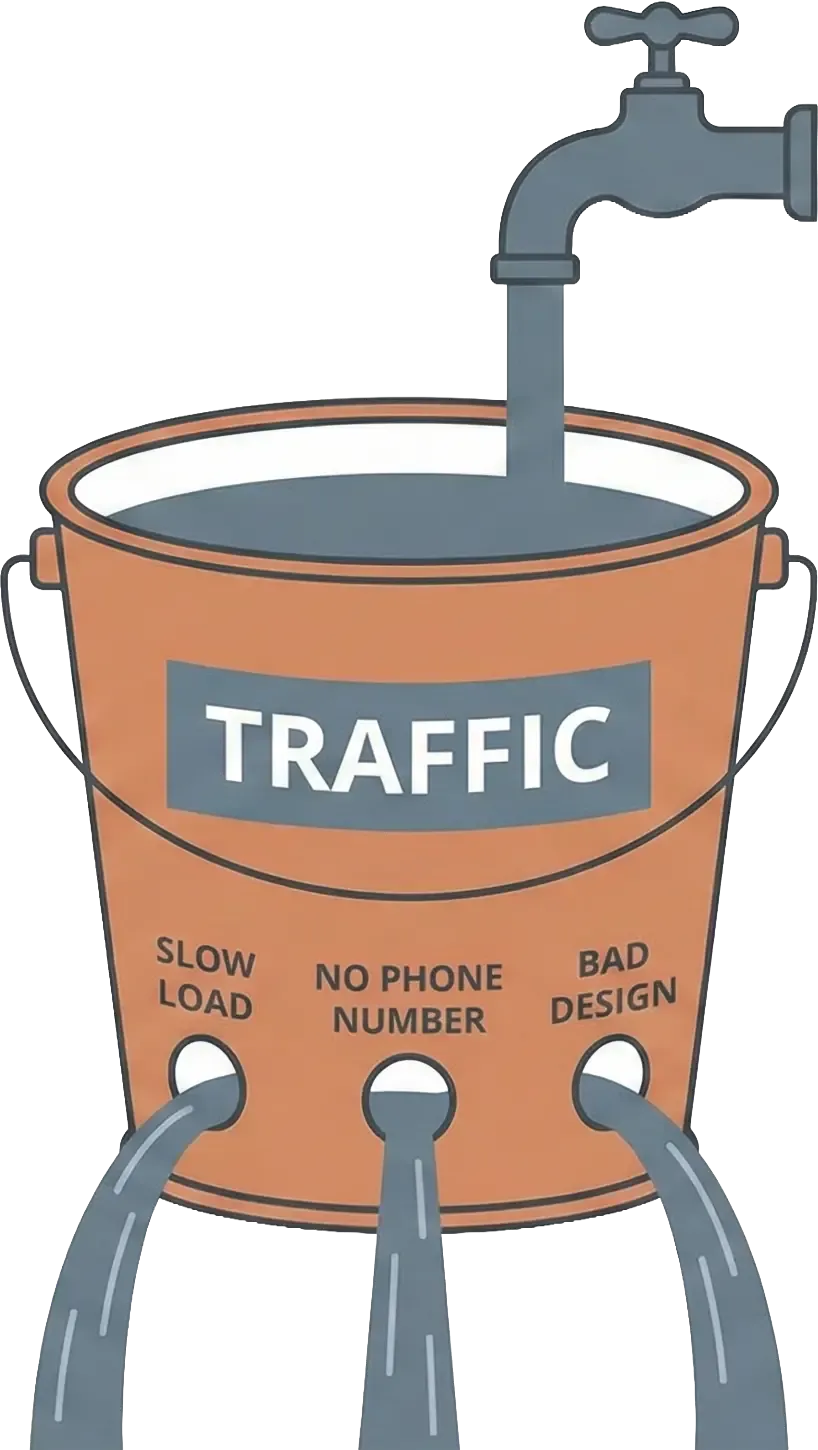
Most plumber websites fail for six reasons:
Generic stock photos. Customers know what stock photography looks like. That smiling model in a clean uniform holding a wrench? He’s never fixed a toilet in his life, and your visitors know it.
Buried phone numbers. If someone has to scroll or click to find your number, you’ve already lost half of them. Emergency plumbing is not a leisurely browsing activity.
No clear next step. Passive design kills conversions. Your website should actively guide people toward calling you, not make them figure out what to do next.
Slow loading. Three seconds is the limit. After that, people bail. Each additional second of load time costs you 7% in conversions.
Desktop-only optimization. 70-80% of plumbing searches happen on mobile. If your site requires pinch-and-zoom to read, you’re turning away the majority of your traffic.
Missing trust signals. No license numbers, no faces, no reviews prominently displayed. People need to know you’re legitimate before they’ll call.
Your job is simple: remove the friction. Each second of delay costs you money. Each hidden phone number costs you calls. Each unclear next step costs you jobs.
2. Technical Requirements
Before you worry about what color your buttons should be or how your copy reads, you need to get the technical foundation right. A beautiful website that doesn’t load well is worthless.
2.1. Mobile-First Design
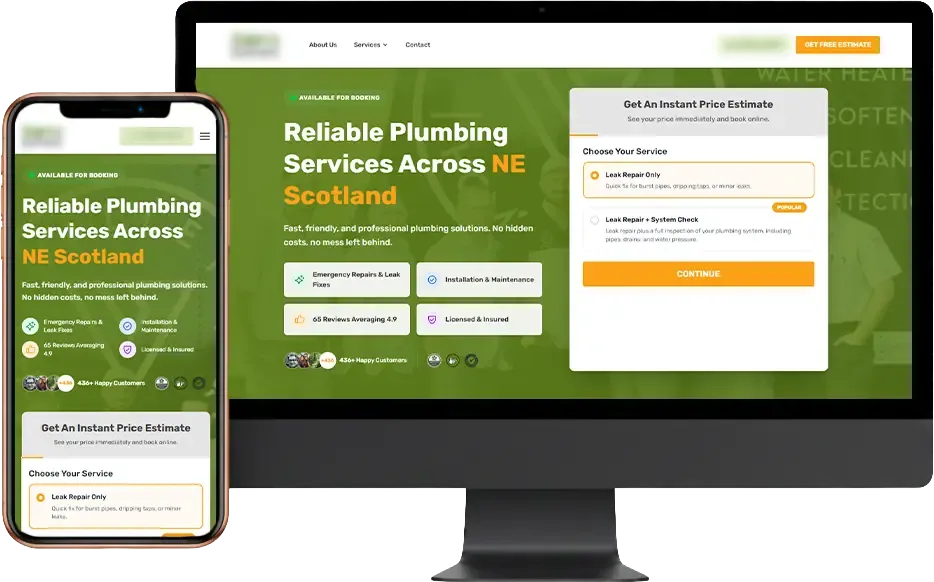
70-80% of plumbing searches happen on mobile devices. More importantly, these aren’t people casually browsing. They’re standing in a puddle of water, stressed out, trying to find help fast.
If your site is not readable on mobile, you’ve lost the job. Period.
What works on mobile:
- Click-to-call works instantly (one tap dials)
- Forms have large tap targets (no accidentally hitting the wrong field)
- Text is readable without zooming (14px-16px minimum font size)
- Navigation is simple (hamburger menu that requires no more than 3 taps max)
What doesn’t work:
- Design for desktop first… then make it “responsive” as an afterthought
This approach loses 60%+ of potential customers because the mobile experience feels tacked on.
Test on your actual phone, not just a resized browser window. Hand it to someone who doesn’t know your business and watch them try to find your number and call you. If they struggle, fix it.
2.2. Page Speed
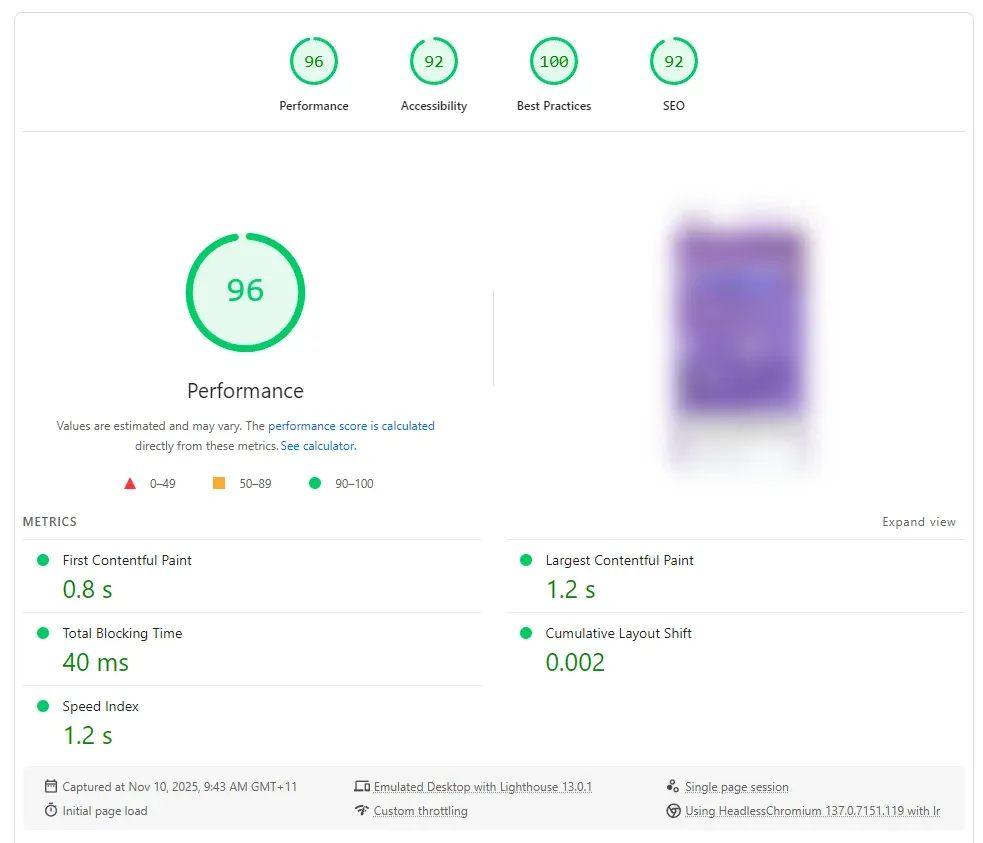
Target: under 3 seconds on mobile networks.
Industry research shows every second of delay costs you 7% in conversions. So if your site takes 6 seconds to load instead of 3, you’re losing 21% of potential customers before they even see your content.
Quick fixes that make a real difference:
Compress your images before uploading them. Use TinyPNG or similar tools. Large images are the #1 speed killer on plumbing websites, and fixing this takes 5 minutes.
Enable browser caching. If you don’t know what this means, ask your web developer to turn it on. It’s usually a one-line change.
Use a CDN (Content Delivery Network). This serves your site from servers closer to your visitors, making everything load faster.
Get better hosting. That $5/month hosting plan is costing you thousands in lost leads. Spend $30-50/month on quality hosting.
Test your site right now on PageSpeed Insights. If you’re scoring in the red (below 50), fix this before doing anything else. Nothing else matters if your site doesn’t load.
2.3. Click-to-Call Everywhere
Your phone number needs to be everywhere, and it needs to work with one tap.
Where to put it:
- Header (sticky, so it stays visible as people scroll)
- Hero section (big and impossible to miss)
- Footer (for people who scroll all the way down)
- Floating button on mobile (persistent phone icon)
How to implement it:
Don’t just type your phone number as text. Use the actual HTML link format:
<a href="tel:+1-555-555-5555">(555) 555-5555</a>
This makes it clickable and dialable on mobile devices. Seems obvious, but you’d be surprised how many plumbing websites get this wrong.
Optional but recommended: Use call tracking software like CallRail. This tells you exactly which pages drive the most calls, which marketing channels work, and records calls for training your staff. Worth every penny.
2.4. SSL Certificate & Trust Signals
If your website doesn’t have HTTPS, you’re losing customers before they even read your content. Browsers show a “Not Secure” warning on HTTP sites, and people immediately bounce.
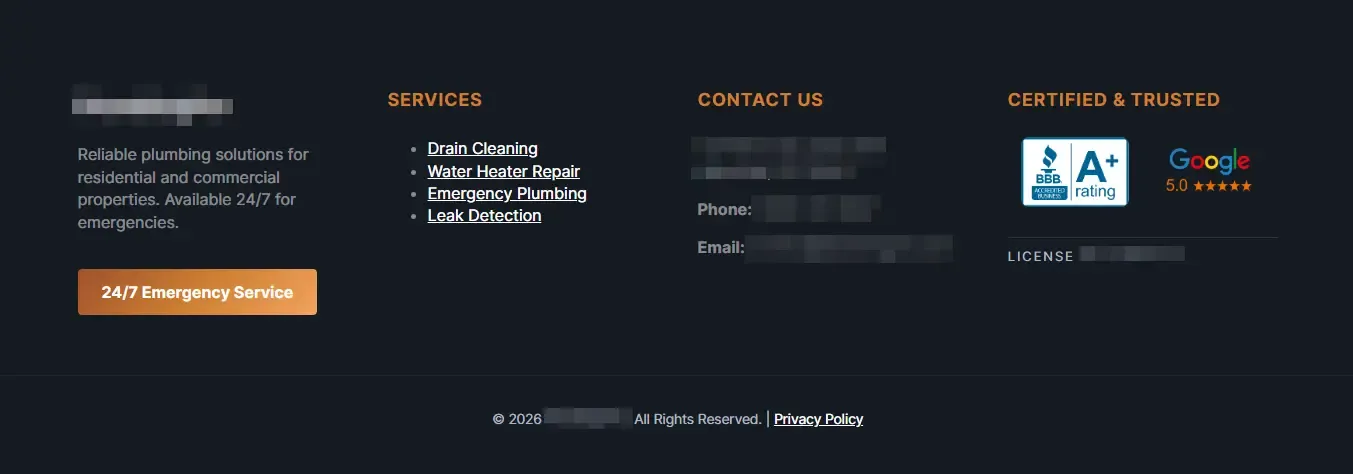
Beyond the SSL certificate, you need visible trust signals:
- State license numbers (required by law in many states, builds trust everywhere)
- Insurance certificates (general liability and workers comp)
- BBB accreditation (if you have it)
- Industry association badges (PHCC, local trade organizations)
Put these in your footer on every page and prominently on your About page.
3. Homepage That Converts
Your homepage has 3-5 seconds to convince someone you can solve their problem. That’s it. First impression is often the last impression.
3.1. Hero Section (Above the Fold)
“Above the fold” means what people see before scrolling. This is your most valuable real estate.
Required elements:
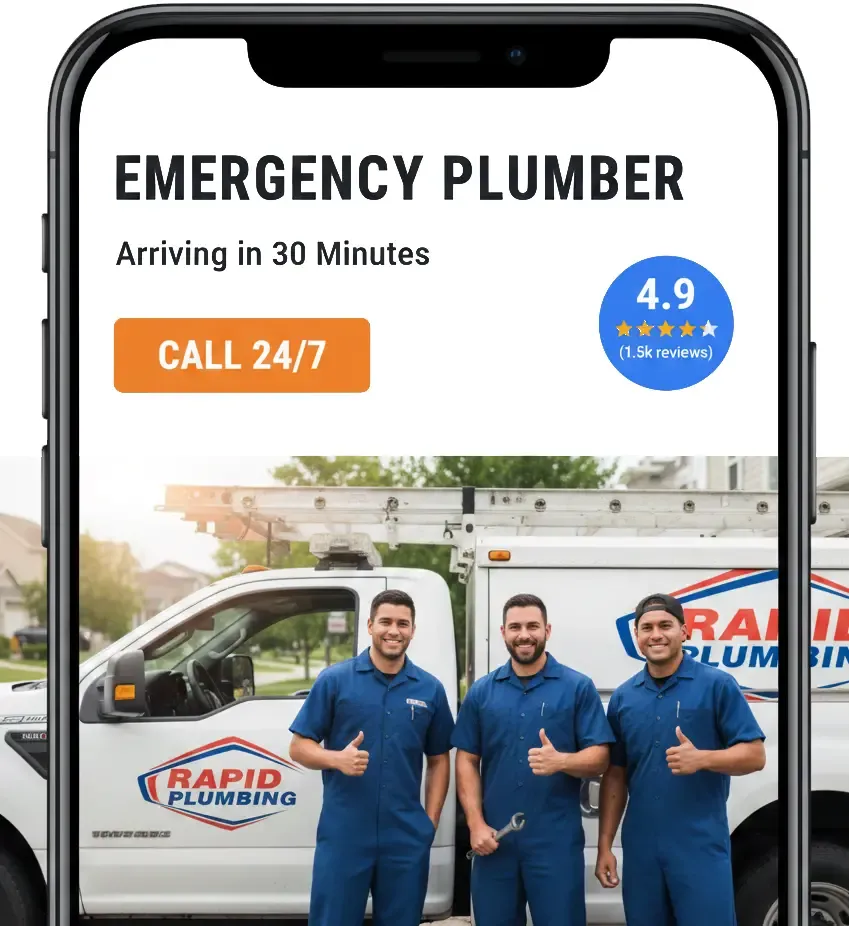
1. Clear headline that addresses the actual problem people have:
Bad: “Quality Plumbing Services”
ood: “Emergency Plumber in Austin - 30-Minute Response Time”
Bad: “Professional & Reliable”
Good: “Licensed Plumber Serving Austin Since 2010 - Available 24/7”
See the difference? The good headlines tell you exactly what you’re getting and where.
2. Subheadline with a specific benefit or differentiator: “Flat-rate pricing, no overtime charges” works better than “Quality service you can trust.”
3. Large phone number. Not small. Not medium. Large. Make it impossible to miss.
4. Primary CTA button. “Call Now” or “Get Emergency Service.” Use high-contrast colors. Red or orange create urgency better than blue or green.
5. Hero image. Real photo of your actual team or truck. Not a stock photo. People can tell the difference, and stock photos kill trust instantly.
3.2. Social Proof Section
Right below your hero section, prove you’re legitimate.
Include:
- Google reviews widget showing 3-6 recent reviews
- Overall rating (“4.9 stars from 250+ reviews”)
- Years in business (if 5+, mention it)
- Number of jobs completed (if you track this)
- Video testimonial (optional but powerful)
This validates everything you claimed in the hero section. Someone saying “They fixed my water heater in 2 hours” is worth more than any claim you make about yourself.
3.3. Services Overview
Show 6-8 main services in a grid. Use small, optimized images, you want this section to load fast.
Focus on outcomes, not just service names:
- “Stop Water Damage Fast” beats “Leak Detection Service”
- “Hot Water Today” beats “Water Heater Repair”
- “Clear Drains in Under an Hour” beats “Drain Cleaning”
Each service should link to a dedicated page (more on this in Section 4).
3.4. Emergency Services Banner
Make this visually different from everything else: different background color, border, whatever makes it stand out.
Include:
- “24/7 Emergency Service” as the headline
- Direct phone number
- Average response time (“On-site in under 60 minutes”)
- Coverage area
If you don’t offer true 24/7 service, don’t claim you do. Nothing kills your reputation faster than someone calling at 2am and getting voicemail.
3.5. Service Area Map
Show a visual map of your coverage area. List the specific cities and neighborhoods you serve, and link those names to location-specific landing pages.
Add context: “Serving homes within 30 minutes of downtown Austin” tells people more than just listing zip codes.

4. Service Pages That Sell
Generic “services” pages don’t convert well. Specific service pages convert 2-3x better because they match what people are actually searching for.
When someone searches “water heater repair Austin,” they want a page about water heaters, not a list of every plumbing service you offer.
4.1. Service Page Structure
Use this template for every major service:
H1: [Service] in [City] - [Unique Benefit]
Example: “Water Heater Repair in Austin - Same-Day Service, Upfront Pricing”
Opening paragraph (2-3 sentences):
Address the problem directly. “No hot water? Whether your water heater is leaking, making strange noises, or not heating at all, we’ll diagnose the problem fast and fix it right - usually the same day.”
Why Choose Us (3-5 bullets with actual substance):
- “Licensed Master Plumbers, Not Apprentices” (specific)
- “Upfront Pricing - You Know the Cost Before We Start” (addresses concern)
- “300+ Five-Star Reviews on Google” (social proof)
Not just: “Experienced, Professional, Reliable” (meaningless)
How It Works (numbered steps):
- Call or text - we answer in under 2 minutes
- Arrival within 60 minutes (emergencies) or scheduled time
- Diagnose issue and provide fixed quote
- Complete repair, test thoroughly, clean up
Pricing Section:
Don’t hide pricing completely. Options:
- “Water heater replacement: $1,200-$3,500 depending on unit size and type”
- “Drain cleaning starting at $149”
- “Free diagnostic with any repair”
Explain what affects the final price (unit size, location, complexity, permits needed).
FAQ (4-6 questions):
- How long does water heater installation take?
- Do you offer same-day service?
- What brands do you install?
- Do you offer financing?
CTAs: One before the main content, one after. “Call (555) 555-5555 for Same-Day Water Heater Repair”
4.2. Which Service Pages to Create
Create individual pages for every service you actually offer:
- Emergency plumbing repair
- Drain cleaning & unclogging
- Water heater repair/replacement
- Leak detection & repair
- Toilet repair & replacement
- Sewer line services & camera inspection
- Repiping & pipe replacement
- Faucet & fixture installation
- Garbage disposal repair
- Sump pump installation
Each page must have unique content. No copying and pasting the same description with different service names swapped in.
4.3. Pricing Strategy
Price is the #1 question on every customer’s mind. Hiding it completely kills conversions. People assume you’re expensive and move on.
Three approaches that work:
Price ranges: “Water heater replacement typically runs $1,200-$3,500 depending on the unit type and installation complexity.”
Starting prices: “Drain cleaning starts at $149. We’ll give you an exact quote before starting work.”
Free quote with context: “Every job is different, so we provide free estimates. Our average water heater installation runs $1,800-$2,200 installed.”
What not to do: “Call for pricing” with zero context. This screams “we’re expensive” and people bounce.
Be transparent about:
- What’s included in the base price
- Common add-ons and what they cost
- Diagnostic/service call fees (and whether they’re waived)
- Emergency vs. standard pricing differences
4.4. Before/After Photos
Stock photos don’t sell plumbing jobs. Your real work does.
Requirements:
- Same angle for both before and after shots
- Good lighting (nobody wants to see dark, blurry photos)
- Brief description of what was wrong and how you fixed it
- Minimum 3-5 examples per service type
Example:
Before: 20-year-old water heater leaking from bottom.
After: New 50-gallon Rheem unit installed, professionally mounted, code compliant.
These photos do two things: prove you can do the work and show customers what to expect.
5. Contact & Conversion Points
Every bit of friction in your contact process costs you jobs. Make it stupidly easy to reach you.
5.1. Multiple Contact Methods
Priority order:
Phone (Primary). This is king for plumbers. Most people want to talk to a human, especially in emergencies. Make calling effortless.
Contact form (Secondary). For non-urgent requests or people who prefer forms. Also captures leads outside business hours.
Text/SMS (Growing). Younger homeowners increasingly prefer texting. If you can handle text requests, offer this option.
Live chat (Optional). Only add this if you can staff it properly. An unmonitored chat that doesn’t respond makes people angry and they’ll call your competitor instead.
5.2. Contact Form Best Practices
Keep it short. Maximum 5 fields. Period.
- Name (first name is fine)
- Phone number (required, this is how you’ll call them back)
- Email (make it optional)
- Service needed (optional dropdown menu)
- Brief description (optional text field)
The thank you page matters:
Don’t just show “Form submitted” as an inline message. Redirect to an actual page that includes:
- “We received your request”
- “We’ll call you within 1 hour during business hours”
- Your phone number (in case they need you urgently)
- Links to helpful resources while they wait
5.3. Emergency Contact Flow
Create a separate, faster path for emergencies.
Skip the standard form entirely. Give them:
- Direct click-to-call button
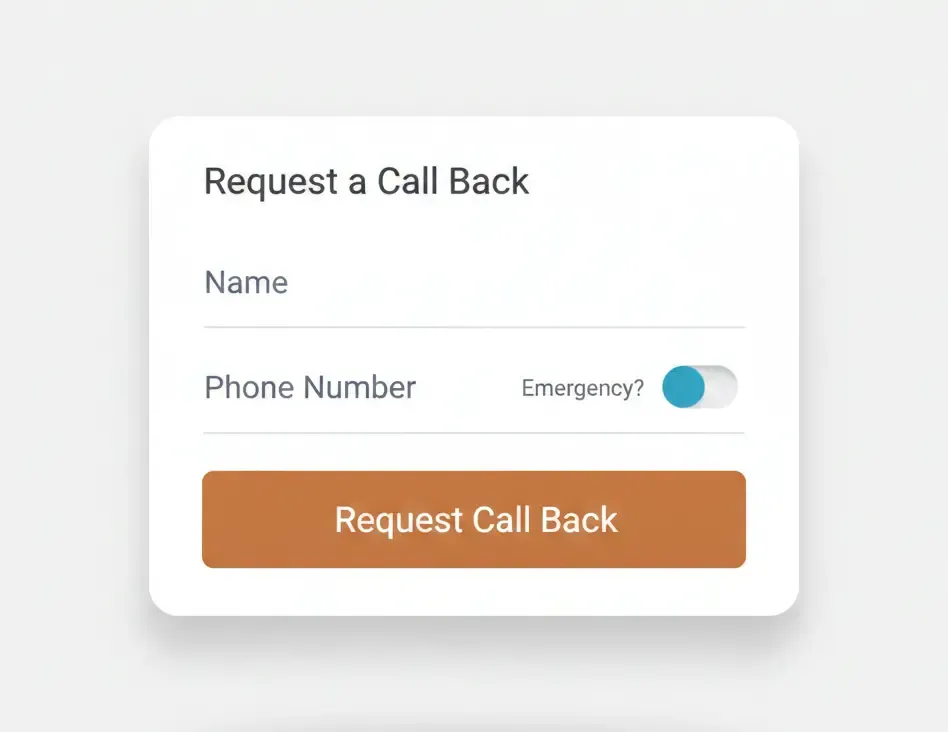
- Or ultra-simple emergency form: Name, Phone, Emergency? checkbox
Set expectations clearly: “Our emergency crew will call you back in 5-10 minutes. If you don’t hear from us in 10 minutes, call (555) 555-5555 directly.”
5.4. Conversion Tracking Setup
You can’t improve what you don’t measure.
Google Analytics 4 must track:
- Form submissions
- Phone link clicks
- Live chat starts
Tracking phone clicks:
// Track phone clicks
document.querySelectorAll('a[href^="tel:"]').forEach(function(link) {
  link.addEventListener('click', function() {
    gtag('event', 'phone_click', {
      'event_category': 'Contact',
      'event_label': link.href
    });
  });
});
Call tracking tools (CallRail, CallTrackingMetrics, WhatConverts):
These show which marketing channels drive calls and let you record calls for training. Worth the investment if you’re spending money on ads.
6. Trust & Credibility Elements
People are letting you into their homes during stressful situations. Trust is required for conversion.
6.1. About Page Strategy
Owner story (2-3 paragraphs):
Why did you start this business? What drives you? How are you connected to the community?
Keep it real. “Started this business in 2010 after working for someone else for 8 years and realizing I could do better” beats generic corporate speak about “commitment to excellence.”
Use a real photo of the owner. Not necessarily a professional headshot necessarily, a candid photo still works great.
Team section:
Individual photos of your plumbers in uniform. Include:
- Names and titles
- Years with your company
- Specializations or certifications
- Brief bio (2-3 sentences)
“John, Master Plumber, 15 years experience, specializes in repiping” converts better than “Our experienced team.”
Credentials:
List your state license number with a verification link if available. Mention your insurance (general liability and workers comp). These aren’t exciting but they’re deal-breakers if missing.
6.2. Reviews Integration
Homepage: Widget showing latest 5-6 Google reviews with your overall rating and count.
Dedicated reviews page: Organize by service type or show all with filters.
How to display each review:
- Customer first name + last initial (“Sarah M.”)
- Date of service
- Star rating
- Full review text (or excerpt with “read more”)
- What service they received
Negative reviews:
Don’t hide them. Show your response. “We’re sorry this happened, here’s what we did to fix it” demonstrates accountability better than trying to bury the occasional 2-star review.
6.3. Guarantees & Warranties
Generic promises like “100% Satisfaction Guaranteed” mean nothing. Be specific.
Examples that work:
- “All work guaranteed for 2 years - if something goes wrong, we fix it free”
- “We’ll beat any written estimate from a licensed competitor”
- “If we’re late to an emergency call, your service fee is free”
- “The quote we give is the price you pay - no surprise charges”
Make these prominent on service pages and your contact page.
6.4. Professional Badges & Certifications
Display these in your footer and on your About page:
- State contractor license (with number)
- BBB Accreditation (if A+ rated)
- Angi Super Service Award
- Google Guaranteed badge (if you qualify)
- Industry associations (PHCC, local trade groups)
- Manufacturer certifications (Rheem Pro Partner, Bradford White, Kohler)
- Financing options (Synchrony, GreenSky logos)
Don’t make up badges or certifications you don’t have.
7. Content That Converts
Content does two things: answers questions before people ask them (removes objections) and demonstrates your expertise (builds trust). Both lead to more calls.
7.1. FAQ Page
Build a page with 15-20 common questions organized by category.
Pricing & Payment:
- How much does [service] cost?
- Do you charge for estimates?
- What payment methods do you accept?
- Do you offer financing?
- Is there an extra fee for emergencies?
Service & Availability:
- Do you offer 24/7 service?
- What areas do you serve?
- How quickly can you get here?
- Do you work weekends and holidays?
Qualifications:
- Are you licensed and insured?
- How long have you been in business?
- Are your plumbers certified?
- Do you guarantee your work?
Process:
- What should I do if I have a burst pipe?
- Do I need to be home during the repair?
- Can you work with my home warranty company?
- How long does [service] take?
Answer honestly and thoroughly. Include a CTA where appropriate: “If you’re experiencing a burst pipe right now, call us immediately at (555) 555-5555.”
7.2. Blog/Resources (Optional but Valuable)
Only do this if you’ll actually maintain it. One post per month is better than 10 posts in January and nothing for the rest of the year.
Content that drives calls:
Seasonal prep: “How to Winterize Your Pipes Before the First Freeze” (post in October, gets traffic every winter)
DIY vs Pro: “5 Plumbing Fixes You Can Do Yourself (And 5 You Should Never Try)” (attracts DIYers but converts them when they realize they’re in over their head)
Emergency prep: “Where to Find Your Main Water Shutoff Valve” (they’ll bookmark your site and call you when disaster strikes)
Education: “How Long Does a Water Heater Last? Signs It’s Time to Replace” (gets people thinking about replacement before it fails catastrophically)
Write 800-1,500 words. Be helpful first, promotional second. Include 1-2 CTAs per post but don’t make the whole thing a sales pitch.
7.3. Location Pages
Create these for each city or neighborhood you actively serve.
Structure:
H1: Plumber in [City], [State] - [Company Name]
Opening paragraph:
Mention specific local landmarks and neighborhoods. “Serving homeowners in the Pearl Brewery district, Southtown, and King William for over 15 years…”
Address local plumbing issues. “We know [City]‘s old cast iron pipes and the problems they cause. We’ve repiped hundreds of homes in the Historic District.”
Services in [City]:
List your main services with brief descriptions.
Local testimonials:
2-3 reviews from customers in this specific city. “John in Alamo Heights says…” matters more than generic reviews.
Coverage details:
Specific streets, neighborhoods, response times. “15-minute response time to downtown emergencies.”
Critical rule: Every location page must have unique content. Don’t copy/paste the same text and swap city names.
Bad: “We provide quality plumbing services in [City].”
Good: “Serving the Alamo Heights and Terrell Hills neighborhoods since 2008, we understand the unique challenges of maintaining plumbing in homes built in the 1920s-1940s. Old galvanized pipes, outdated sewer connections, and foundation shifts from our clay soil. We’ve seen and fixed it all.”
8. Monitoring & Optimization
A website is never finished. The difference between 3% and 10% conversion rates is worth tens of thousands per month in revenue.
8.1. Key Metrics to Track
Conversion rate = (Phone calls + Form submissions) ÷ Total visitors × 100
Target: 5-10% for plumbing sites. Under 3% means you’re leaving serious money on the table.
Call volume: Track by day, time, and traffic source. Which pages drive the most calls? What time do most emergencies happen? Which marketing channels work?
Form submissions: How many people start a form vs. complete it? Where do they abandon it?
Traffic sources: Organic search, Google Maps, paid ads, direct traffic, referrals. Know where your visitors come from.
Bounce rate: Should be under 60% on service pages. If it’s higher, people aren’t finding what they need.
8.2. Google Analytics 4 Setup
Set up event tracking for phone clicks:
// Track phone clicks
document.querySelectorAll('a[href^="tel:"]').forEach(function(link) {
  link.addEventListener('click', function() {
    gtag('event', 'phone_click', {
      'event_category': 'Contact',
      'event_label': link.href
    });
  });
});
Track these conversions:
- Phone link clicks
- Form submissions
- Thank you page views
- Live chat starts
- Emergency form submissions
Check these reports weekly:
- Real-time (is the site working?)
- Acquisition (where’s the traffic coming from?)
- Engagement (what pages do people visit?)
- Conversions (are people calling/submitting forms?)
8.3. Heatmap & Session Recording
Microsoft Clarity is free and powerful.
Hotjar is also good (free tier available).
What to watch for:
- Where people click (are they finding your CTAs?)
- How far they scroll (do they see your reviews?)
- Mouse movement patterns (erratic = confused)
- Mobile vs desktop differences
- Where people get stuck
- Confusing navigation
- Form field problems
- Mobile usability issues
- Rage clicks (clicking repeatedly on something that’s not clickable = frustration)
Watch 10-20 sessions monthly. Focus on sessions that didn’t convert. What went wrong?
Common discoveries:
- Phone number isn’t visible enough
- Forms have confusing required fields
- Mobile menu doesn’t work right
- Important content is below the fold
- CTAs blend into the page
8.4. A/B Testing
Test one thing at a time or you won’t know what worked.
Priority tests:
CTA button text: Test “Call Now” vs “Get Emergency Service” vs “Schedule Repair”
Button color: Red vs Orange vs Blue (red/orange typically win for emergency services)
Headlines: Problem-focused vs Solution-focused? “Burst Pipe? We’re On Our Way” vs “Expert Plumbing Repair - 30 Min Response”
Form length: 3 fields vs 5 fields
Run each test minimum 2 weeks or 100 conversions, whichever comes first. Require 95% statistical confidence before declaring a winner.
Example test:
- Hypothesis: Orange button will convert better because it creates urgency
- Control: Blue button “Call Now”
- Variant: Orange button “Call Now”
- Results: Orange increased clicks 23%
- Action: Implement orange permanently
Document everything. You’ll want to reference this later.
9. Advanced Conversion Tactics
Once fundamentals are solid, these tactics push conversion rates from good to exceptional. Use them carefully, each can backfire if done poorly.
9.1. Urgency & Scarcity (Use Ethically)
Legitimate urgency:
- “Only 2 emergency slots left today” (if actually true)
- “Next available: Today at 3pm” (real-time availability)
- “Pre-winter water heater special ends November 30” (actual deadline)
Warning: Fake scarcity destroys trust. Don’t use countdown timers that reset every time someone visits. Don’t claim “limited availability” if you’re always available. Don’t pressure people in genuine emergencies, they’re already stressed.
Focus on real constraints and seasonal promotions. Be honest about booking demand.
9.2. Exit-Intent Popups
Trigger when someone’s about to leave without converting.
Offers that work:
- “$50 off your first service - schedule now”
- “Wait! Get our free emergency plumber checklist”
- “Text us your issue for a 5-minute callback”
- “Emergency? Call now: (555) 555-5555”
Design requirements:
- Easy to close (visible X button)
- Doesn’t cover whole screen on mobile
- Only shows once per visit (use cookies)
- Simple, single offer
Don’t:
- Show multiple popups per visit
- Make it hard to close
- Use aggressive language
- Trigger before they’ve seen any content